Making Tax Digital for Income Tax
Who needs to join, when the rules begin, what quarterly updates involve and how to prepare without rebuilding your records at the last minute.
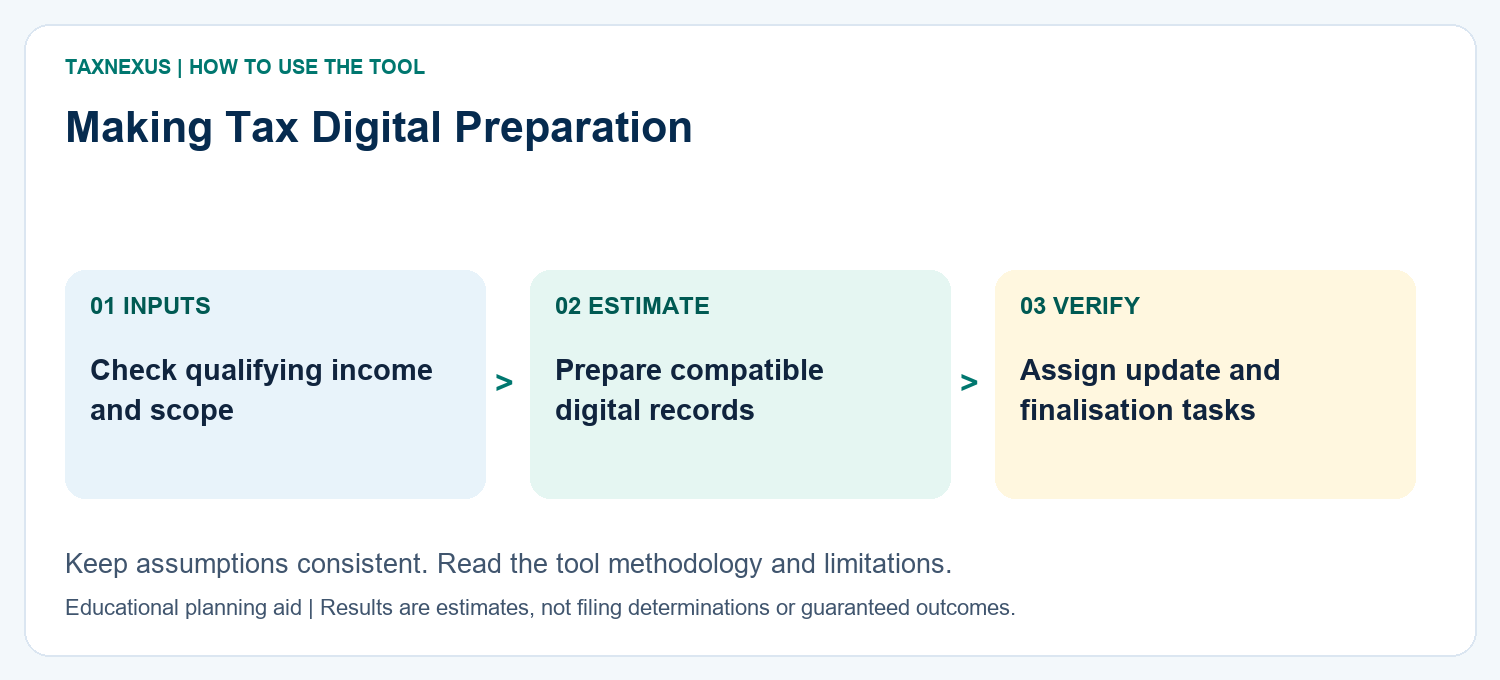
Making Tax Digital for Income Tax changes how some sole traders and landlords keep records and report information to HMRC. It does not mean paying Income Tax four times a year, and it does not replace the need to finalise your tax position. The practical change is a move to compatible digital records, quarterly updates and an end-of-year finalisation process.
When do you need to use it?
| Qualifying income | Mandatory start date |
|---|---|
| More than £50,000 | 6 April 2026 |
| More than £30,000 | 6 April 2027 |
| More than £20,000 | 6 April 2028 |
Qualifying income broadly means gross income before expenses and tax from self-employment and property. If you have more than one qualifying source, the amounts are considered together. Employment income, dividends and pension income do not form part of this particular threshold calculation.
What you will need to do
- Keep digital records of business and property income and expenses.
- Use MTD-compatible software that can communicate with HMRC.
- Send quarterly updates for each qualifying business or property source.
- Make year-end adjustments and finalise the overall Income Tax position by the normal deadline.
A spreadsheet may still play a role if it is connected to compatible bridging software and the required digital links are maintained. Copying and pasting totals by hand can undermine the digital-record chain, so map the workflow before the first deadline.
Quarterly updates are cumulative summaries
The update is a summary of income and expenses recorded in your software. It is not a set of quarterly accounts and HMRC does not require tax or accounting adjustments in every update. You will still need to correct records and make final adjustments at year end.
For a standard quarterly schedule in the first year, the key update deadlines are 7 August 2026, 7 November 2026, 7 February 2027 and 7 May 2027. An alternative calendar-quarter election may suit some businesses, but check the software and HMRC rules before choosing it.
Making Tax Digital: a practical preparation plan
1. Confirm your income threshold
Use the relevant Self Assessment return and add gross qualifying income across self-employment and property sources. Do not use taxable profit for this test.
2. Choose software around your real workflow
Ask whether the software handles multiple businesses, jointly owned property, bank feeds, VAT and agent access. A cheap tool that forces duplicate work is rarely cheap in practice.
3. Clean up opening records
Separate private and business transactions, confirm debtor and creditor balances, and agree bank balances. Do this before the first quarterly deadline rather than during it.
4. Decide who does what
If an accountant or bookkeeper is involved, agree who records transactions, reviews coding, submits updates and handles year-end adjustments. Responsibility should not sit in an unspoken gap.
Frequently asked questions
Do I have to pay tax every quarter?
MTD quarterly updates are reporting obligations, not four new Income Tax payment dates. Existing payment rules still apply unless legislation changes.
What if my income later falls below the threshold?
The exit rules depend on HMRC’s qualifying-income tests and your circumstances. Do not simply stop filing updates; confirm when you can leave MTD or whether an exemption applies.
Can I apply for an exemption?
HMRC provides routes for people who are digitally excluded or otherwise meet exemption conditions. The decision is based on individual circumstances, not a preference for paper records.
Last reviewed: 20 October 2026. Official references: Check if and when you must use MTD, Sign up for MTD for Income Tax, and HMRC quarterly updates.
For the wider personal-return workflow, read the UK Self Assessment guide. Keep Making Tax Digital update records alongside the finalisation working papers, with clear responsibility for each step.