Salary, Bonus & CTC Calculator
Convert monthly and annual salary, calculate bonus, and estimate annual CTC using employer contributions and benefits.
What is CTC?
Cost to Company (CTC) is the employer’s total annual cost for an employee. It can include gross salary, employer PF, gratuity, bonus, insurance and other employer-paid benefits. CTC is not the same as take-home salary.
Important
Gratuity and statutory bonus are estimated using the Labour Code wage definition and current transition assumptions. Actual statutory bonus may vary with allocable surplus, applicable government notifications, minimum wages, establishment coverage and employee eligibility. Performance or variable pay under company policy is separate.
CTC Calculator: salary and employer-cost breakdown
Gross salary is the employee’s earnings before employee-side deductions. CTC is broader: it can include annual gross salary plus employer-side costs such as employer PF, gratuity provision, statutory bonus where applicable, insurance and other employer-paid benefits. This is why CTC is normally higher than take-home salary.
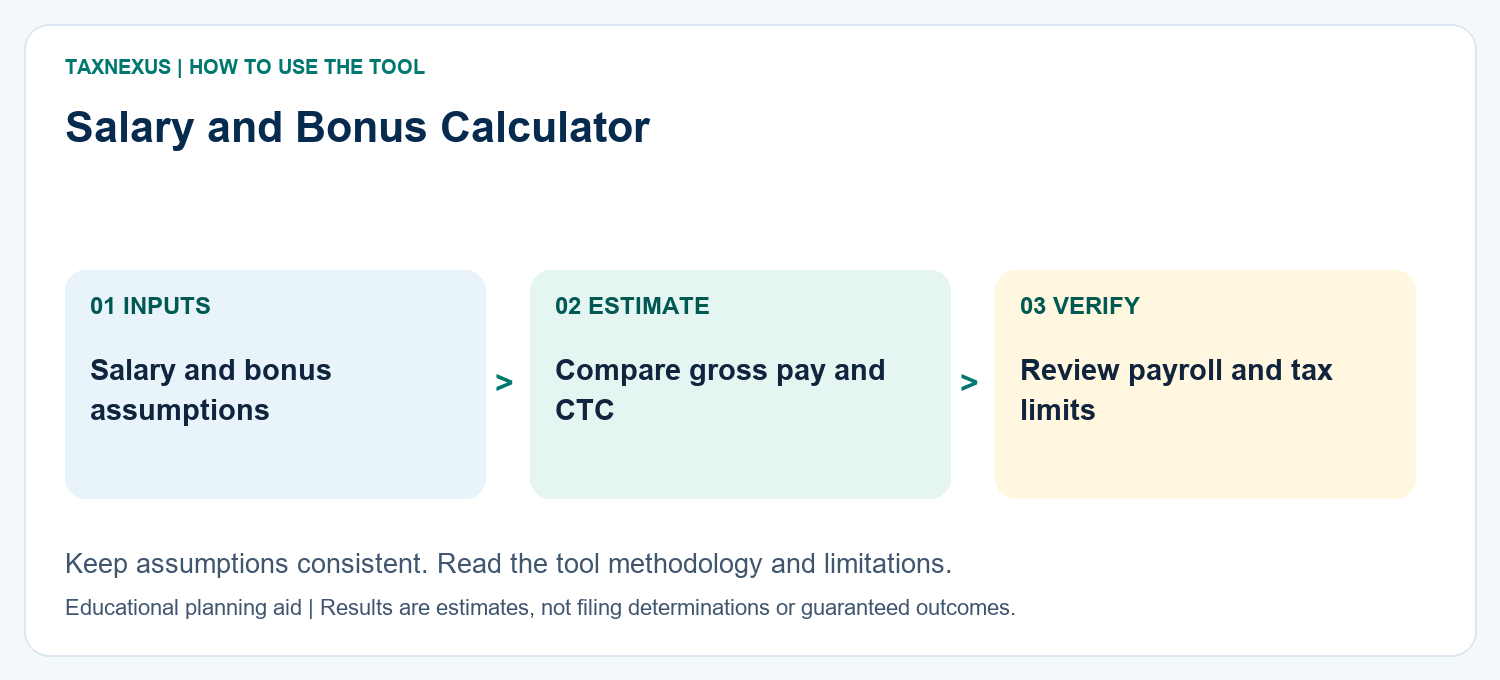
Use the Salary tab for monthly-to-annual conversion, the Bonus tab for an estimate based on the inputs shown, and the CTC tab to understand how employer-side costs change the total annual employment cost. For take-home planning, use the In-Hand Salary Calculator.
CTC Component Breakdown
Frequently Asked Questions
Is CTC the same as take-home salary?
No. CTC represents the employer’s total annual cost. Take-home salary is what reaches the employee after applicable employee-side deductions and taxes.
Why is my CTC higher than my gross salary?
CTC can include employer-paid amounts that are not part of monthly cash salary, such as employer PF, gratuity provision, insurance and other benefits.
Does employer PF form part of CTC?
It commonly does when an employer structures CTC to include employer-side statutory contributions. The exact salary structure depends on the employment terms and payroll policy.
Is bonus always guaranteed in CTC?
No. Statutory bonus eligibility and variable or performance bonus are different concepts. Company-policy variable pay may depend on performance and employment terms.
Why can the final payroll amount differ from this calculator?
Actual payroll can differ because of establishment coverage, wage definitions, minimum-wage notifications, PF treatment, gratuity eligibility, bonus rules, income tax, attendance and employer policy.
How to use this salary and bonus calculator in India
Choose Salary to convert monthly gross pay into an annual amount, Bonus to review the statutory-bonus estimate under the assumptions shown, or CTC to bring employer costs and benefits into the annual package. Gross salary, a bonus entitlement and take-home pay answer different questions.
Statutory bonus versus a company performance bonus
A statutory bonus depends on establishment coverage, employee eligibility, the relevant wage basis, applicable limits and other legal conditions. A performance bonus depends on the employment contract or company policy. Do not apply the statutory-bonus result to a discretionary incentive simply because both payments are called a bonus.
Illustrative company-policy example: if an employer promises a bonus of 8% of an annual eligible base of ₹2,40,000, the gross illustration is ₹19,200. The employer’s definition of the base and eligibility still need checking. This example is not a statutory minimum, a guaranteed payment or an after-tax amount.
Does this tool calculate tax on a salary bonus?
No. The displayed salary and bonus figures are gross planning amounts. An after-tax bonus estimate requires the annual income, applicable tax year and regime, deductions and tax already withheld. Compare a consistent annual scenario with and without the bonus in the tax regime calculator, and check the tool’s assumptions. Payroll withholding and the final annual liability can differ.
Check the result against your salary records
- Use the same period for salary, paid months and bonus inputs.
- Keep employer-funded benefits separate from employee deductions.
- Check whether variable pay is guaranteed, target-based or discretionary.
- Reconcile your contract, payslip and bank credit using the payroll reconciliation checklist.
For monthly net-pay planning, continue to the in-hand salary calculator. Do not enter confidential employee details: only numerical planning assumptions are needed.
For provident-fund guidance and official notices, consult the Employees’ Provident Fund Organisation. Compare the applicable rules and your employer’s payroll records with the CTC calculator assumptions.
How to read your salary & CTC result
CTC is broader than monthly take-home pay. Review annual gross salary separately from employer PF, gratuity provision, statutory bonus and other employer-funded benefits. Performance or company variable pay should be treated separately unless it is contractually guaranteed.
Planning note: Use the result for planning; payroll treatment can differ by employer policy and statutory applicability.
Need a custom finance worksheet, calculator idea or help understanding a result? Contact TaxNexus and tell us what you are trying to calculate.
Ask TaxNexus
Send your question and the TaxNexus team can review what you are trying to calculate. The calculator page is included automatically.
Safety: Do not send passwords, OTPs, card numbers, bank login details or other confidential credentials.