Prevalidate bank account information through the official e-Filing portal before nominating an eligible account for an ITR refund. This guide explains the seven portal steps and common bank account validation checks.
Quick answer: To receive an Income Tax refund, your bank account should be validated on the e-Filing portal and nominated for refund. You can add, prevalidate, revalidate and nominate bank accounts from My Profile → My Bank Account.
Prevalidate Bank Account: why validation matters
The Income Tax Department allows refunds only to eligible validated bank accounts. A validated account can also be used for EVC-based verification where the bank supports e-Filing integration and the applicable contact-detail conditions are met.
Before you start: The bank account should be linked with your PAN. Keep the correct account number and IFSC ready, and make sure the account is active. For refund nomination, the portal supports eligible Savings, Current, Cash Credit, Overdraft and NRO accounts.
Step 1: Login to the Income Tax e-Filing Portal
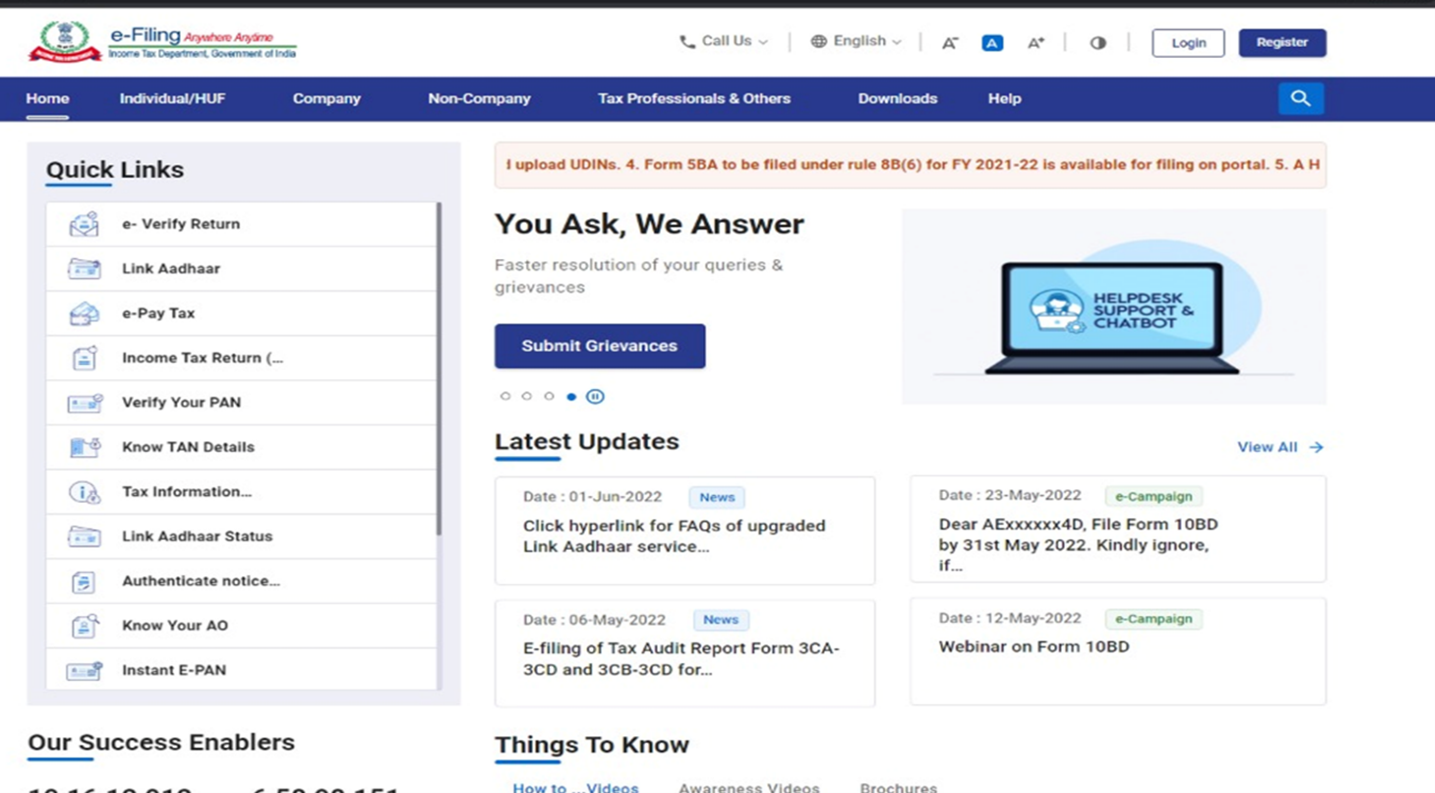
Visit the official Income Tax e-Filing portal and log in using your PAN/User ID and password.
Step 2: Open My Profile
From the dashboard, open My Profile.
Step 3: Click My Bank Account
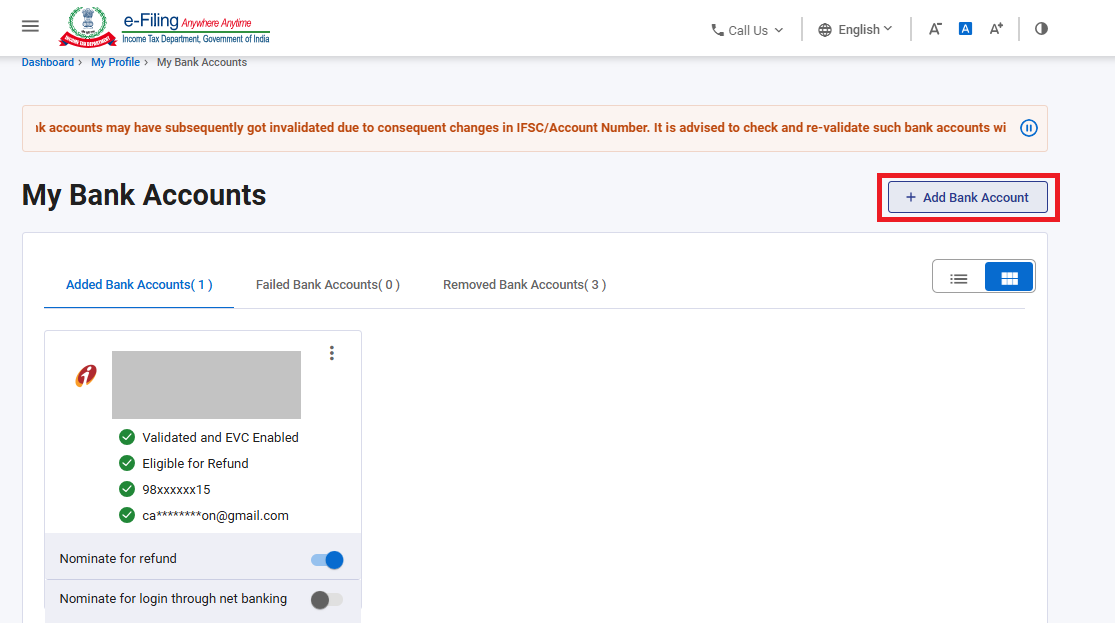
Open My Bank Account. You will see sections for added, failed and removed bank accounts.
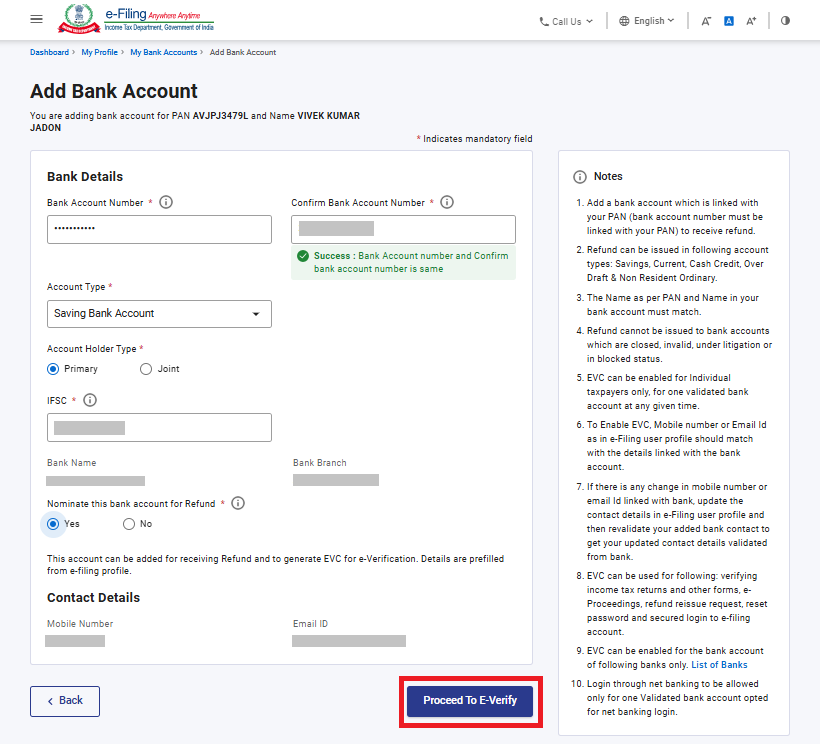
Step 4: Click Add Bank Account
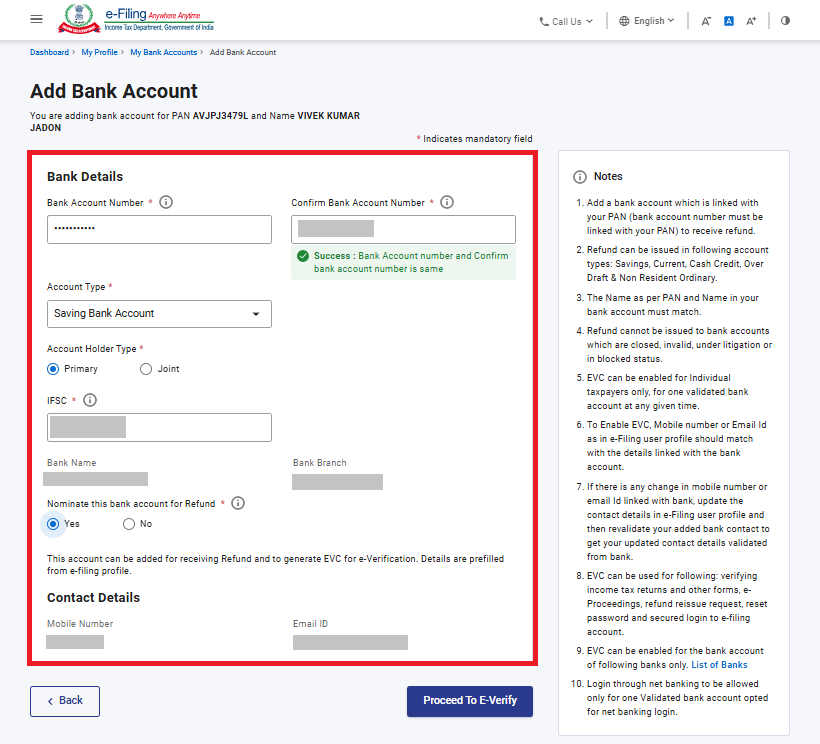
Click Add Bank Account and enter the bank account number, account type, holder type and IFSC. The bank name and branch are generally populated from the IFSC.
Step 5: Proceed to e-Verify
Click Proceed to e-Verify, choose an available verification method and complete the verification process.
Step 6: Wait for Validation Status
After submitting the request, the validation status is updated in your e-Filing account after processing by the bank. The Income Tax Department notes that validation status can take around 10–12 working days in some cases.
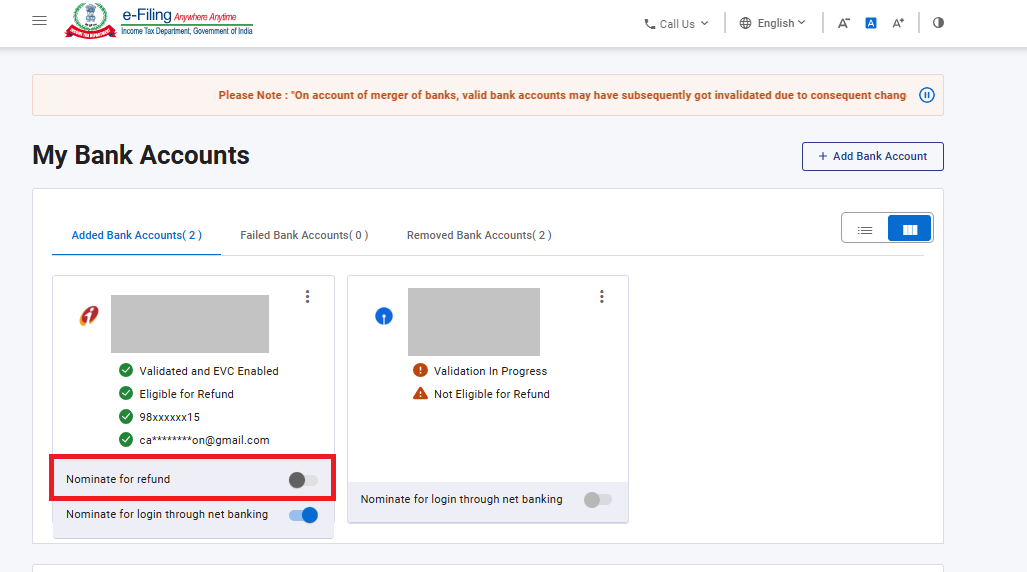
Step 7: Nominate the Validated Account for Refund
Once the account is validated, nominate it for receiving Income Tax refund. Only eligible validated bank accounts can be selected for refund nomination.
Which Bank Account Types Can Be Used?
| Account Type | Can Be Used for Refund Validation? |
|---|---|
| Savings Account | Yes |
| Current Account | Yes |
| Cash Credit Account | Yes |
| Overdraft Account | Yes |
| NRO Account | Yes |
| Loan / PPF Account | No |
Practical Example 1: Refund Failed Because Account Was Not Validated
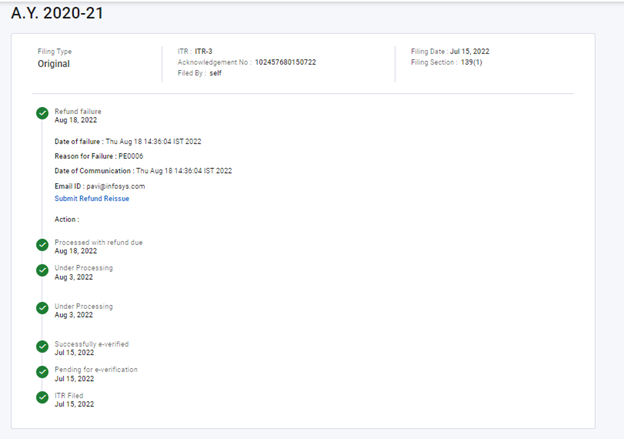
Suppose your ITR shows a refund of ₹18,000, but the selected bank account was not prevalidated. The refund may fail. First validate the bank account, nominate it for refund and then use the refund reissue facility if required.
Practical Example 2: Name Mismatch
If the name in your bank account does not match the PAN details, bank validation can fail. Correct the mismatch either with the bank or in your e-Filing profile, as applicable, and then revalidate the account.
What If Bank Validation Fails?
- Check whether PAN is linked with the bank account.
- Verify bank account number and IFSC.
- Check whether the account is active.
- Check name mismatch between PAN and bank records.
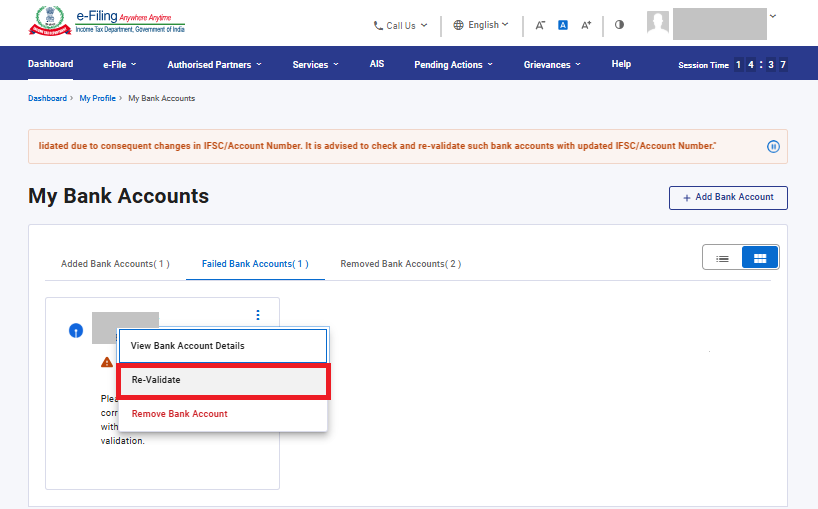
- Use the Re-Validate option under Failed Bank Accounts after correcting the issue.
Can the Same Bank Account Be Used for EVC?
Yes, for individual taxpayers, a validated bank account can be enabled for EVC if the bank is integrated with e-Filing and the required contact details match. The e-Filing mobile number or email may need to match the details verified by the bank for EVC enablement.
Refund Reissue After Bank Account Validation
If your refund previously failed, you can submit a Refund Reissue Request after validating an eligible bank account. The portal allows you to select a validated bank account and proceed to verification.
Checklist Before Filing Your ITR
- Bank account is active.
- PAN is linked with the bank account.
- Bank account is validated on the e-Filing portal.
- Correct account is nominated for refund.
- IFSC and account number are correct.
Frequently Asked Questions
Is bank account pre-validation compulsory for Income Tax refund?
Yes. The Income Tax Department states that refund can fail when the bank account is not prevalidated.
How long does bank account validation take?
The Department says the status is generally updated after the request is processed by the bank and may take around 10–12 working days in some cases.
Can I use a PPF account for refund?
No. The portal guidance lists Savings, Current, Cash Credit, Overdraft and NRO accounts as eligible types for refund validation, while Loan/PPF accounts are not eligible.
Related ITR Guides
- How to Check ITR Refund Status Online
- How to File ITR Online Step by Step – AY 2026–27
- AIS vs Form 26AS Reconciliation
- ITR-1 vs ITR-2 Guide
- Income Tax Hub
Official References
- Income Tax Department – My Bank Account User Manual
- Income Tax Department – Refund Reissue User Manual
Disclaimer: Portal labels, eligible bank types and validation requirements can change. Always follow the latest options shown on the official Income Tax e-Filing portal.