Quick answer: If your Income Tax refund has failed, you can submit a Refund Reissue Request online after validating and nominating an eligible bank account. On the e-Filing portal, the official route is Services → Refund Reissue → Create Refund Reissue Request.
Before you start: You must be a registered e-Filing user, the ITR must already be filed, the refund should have failed, and you should have a validated bank account plus access to an available verification method such as Aadhaar OTP, DSC, Net Banking or EVC.
When Do You Need a Refund Reissue Request?
- Refund failed because the bank account was not validated.
- Bank account was closed or inactive.
- Incorrect bank details were available at the time of refund processing.
- Name / PAN / bank validation mismatch caused the refund to fail.
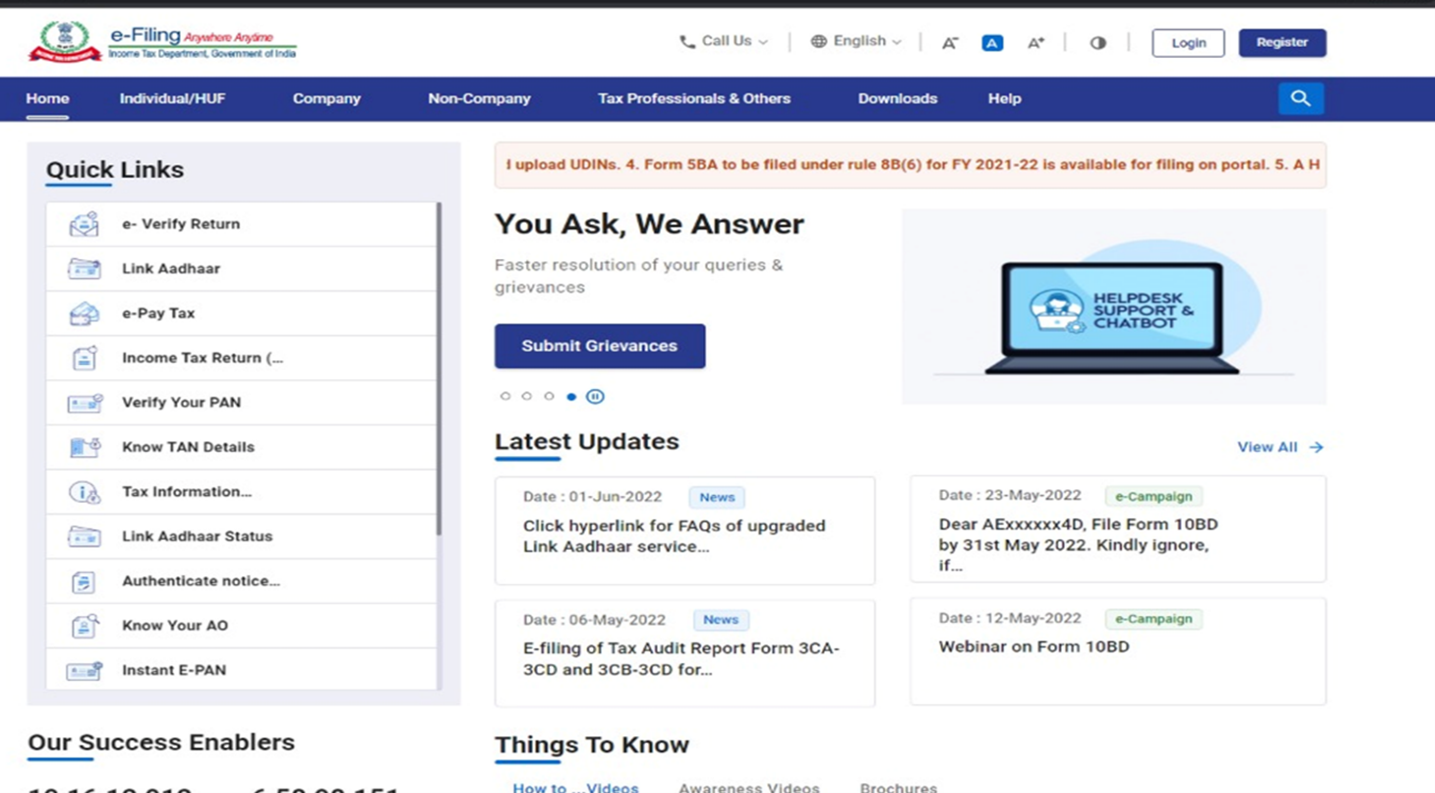
Step 1: Login to the Income Tax e-Filing Portal
Login to the official Income Tax e-Filing portal using your PAN/User ID and password.
Step 2: Check Refund Status First
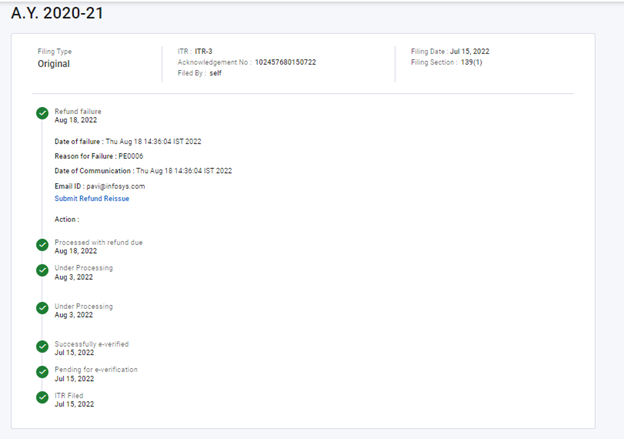
Before requesting reissue, confirm that the refund status is actually shown as failed or returned. You can first review the status using our ITR Refund Status guide.
Step 3: Validate Your Bank Account
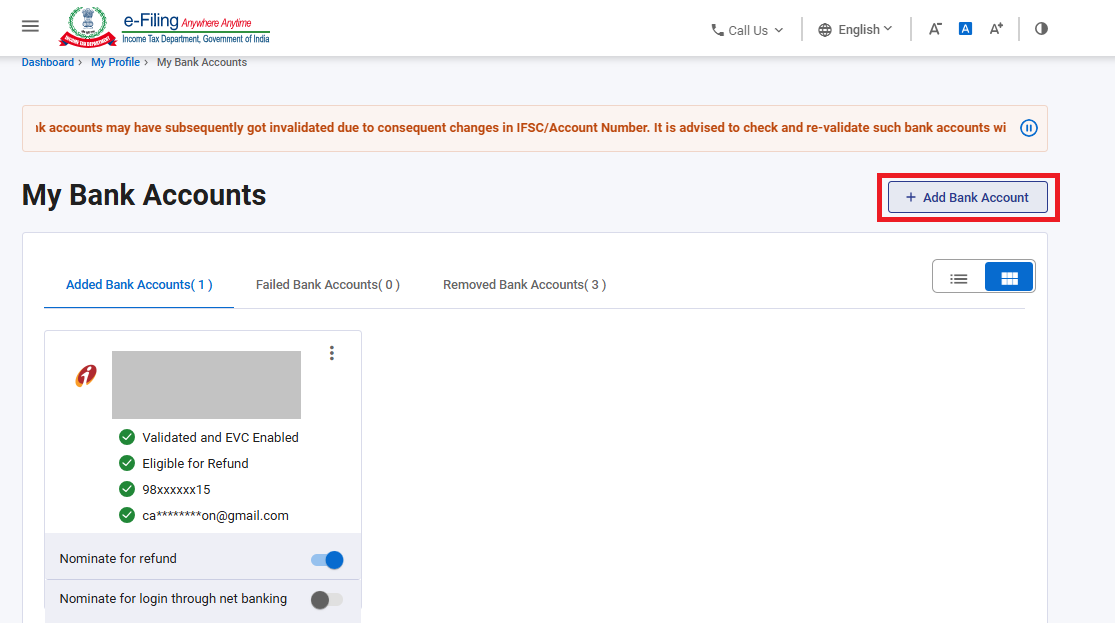
Go to My Profile → My Bank Account. Make sure the account you want to use is active and successfully validated.
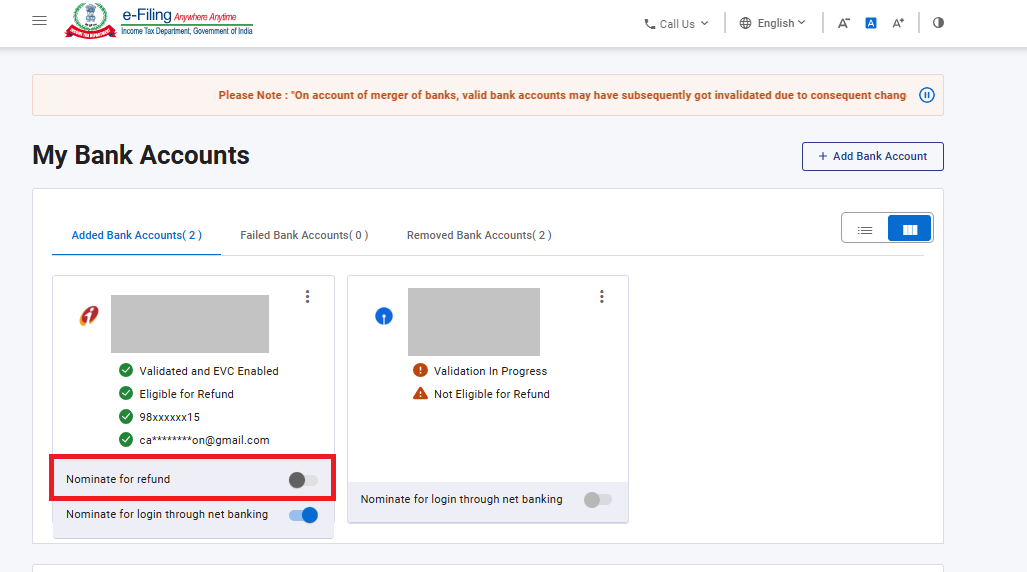
Step 4: Nominate the Account for Refund
Once the bank account is validated, enable Nominate for Refund for the account you want to receive the refund in.
Step 5: Open the Refund Reissue Service
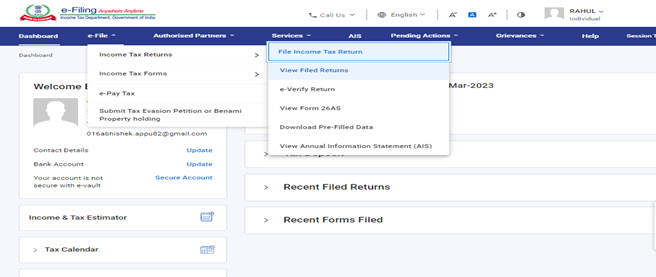
From the e-Filing dashboard, go to Services → Refund Reissue and click Create Refund Reissue Request. Select the refund record for which you want to submit the reissue request and click Continue.
Step 6: Select the Validated Bank Account
Select the validated bank account in which you want the refund to be reissued and click Proceed to Verification. Only validated bank accounts are shown for selection in the refund reissue flow. Confirm the account details carefully before proceeding.
Step 7: e-Verify the Refund Reissue Request
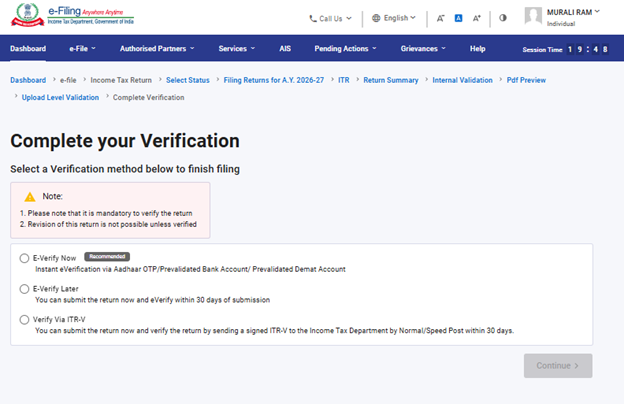
Complete verification using one of the methods available on the portal, such as Aadhaar OTP, DSC, Net Banking or EVC. After successful e-Verification, the portal displays a success message with a Transaction ID; keep this ID for future reference.
Common Reasons Refund Reissue Fails Again
- Selected bank account is not validated.
- The account is not nominated for refund.
- Bank account has become inactive or closed.
- Name / PAN / bank details mismatch persists.
- Incorrect assessment year or refund reference is selected.
Practical Example
Your ITR refund of ₹28,000 failed because the old bank account was closed. Add and validate the new bank account, nominate it for refund, open the refund reissue service, select the new account and complete e-Verification.
Checklist Before Submitting Refund Reissue
- Refund status shows failed / returned.
- Bank account is active.
- Bank account is validated on the e-Filing portal.
- Correct account is nominated for refund.
- Account number and IFSC are correct.
- Assessment year is correct.
- e-Verification is completed.
Frequently Asked Questions
Can I request refund reissue without validating the bank account?
No. You should first validate an eligible bank account and nominate it for refund before submitting the reissue request.
Can I use a different bank account for refund reissue?
Yes, provided the new account is eligible, active, validated and nominated for refund on the e-Filing portal.
What if my refund still does not arrive after reissue?
Check the latest refund status, verify the bank account again and review whether any new failure reason is shown on the portal.
Related ITR Guides
- How to Check ITR Refund Status Online
- How to Pre-Validate Bank Account for ITR Refund
- How to File ITR Online Step by Step – AY 2026–27
Official Reference
Income Tax Department – Refund Reissue User Manual
Disclaimer: Portal labels and refund-reissue steps may change. Always follow the latest options shown on the official Income Tax e-Filing portal.