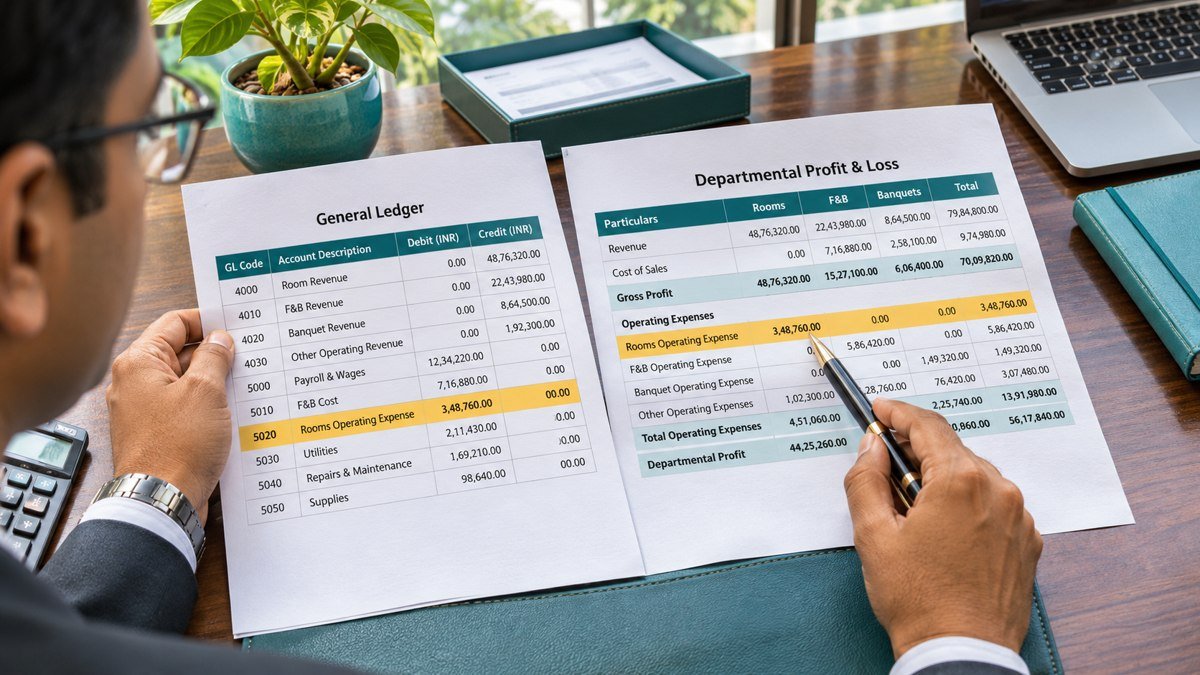
Vendor debit balances can show up on a month-end accounts payable report when a supplier has received an advance, been paid twice or issued a credit note you have yet to use. Start by tracing the debit to the transaction that created it. That tells you whether to apply it to an invoice, recover cash, correct a posting or carry it forward with evidence and a follow-up date.
1. Find vendor debit balances on the month-end report
Run the accounts payable ageing or supplier trial balance as of the close date. Keep a dated copy of the report and reconcile the full subledger to the general ledger control account before pulling the exception list. Check the report’s sign convention. Some systems show a supplier debit as a negative payable. The checklist in this guide records debit amounts as positive numbers so reviewers can total the exposure.
Review by legal entity, vendor account and currency. Keep separate site codes visible where they determine how invoices and credits can be applied. Start with net debit supplier accounts and then scan the open-item detail for unapplied advances or credits within accounts that still have a net credit balance. The net report can hide those items. Track each exception once so you do not count a supplier’s net debit and its underlying transactions as separate exposures.
Compare the close-date subledger with the supplier statement and the payment records. Check posting dates on both sides. A receipt or invoice recorded after close can explain how an item was eventually cleared, while the dated report shows what was open at month-end. See the Supplier Statement Reconciliation guide for a worked example of matching individual documents.
2. Work through three vendor debit balances
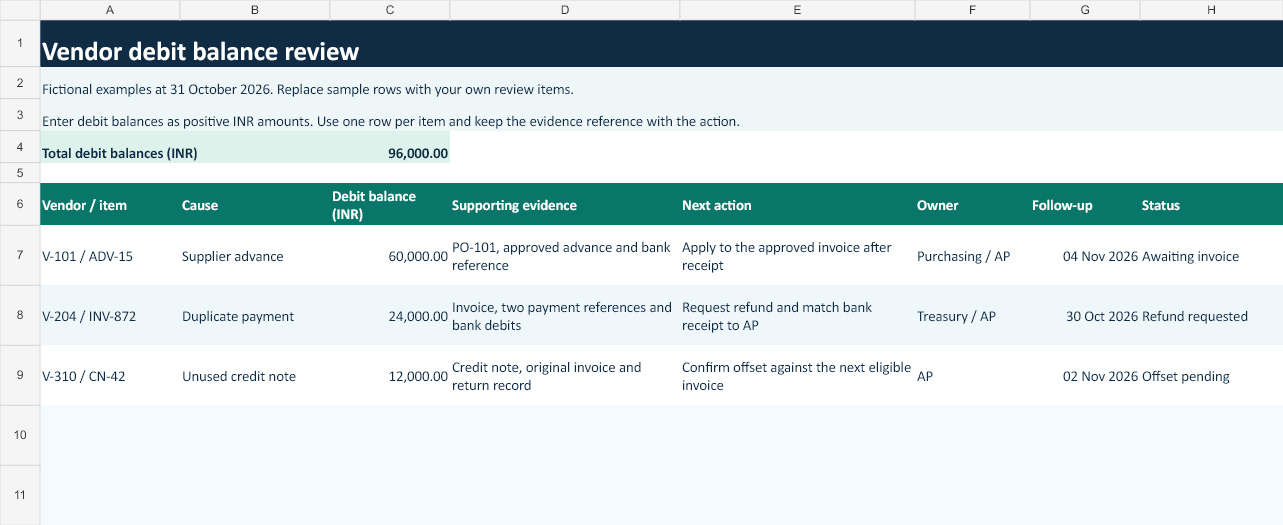
A fictional hotel’s October review identifies ₹96,000 in debit balances across three suppliers. Each example is in INR, and the items remain open as of 31 October 2026.
| Vendor and item | Debit balance | Evidence to check | Next action |
|---|---|---|---|
| V-101 / ADV-15 · Supplier advance | ₹60,000 | Purchase order, advance approval and bank reference | Apply after receipt and invoice approval |
| V-204 / INV-872 · Duplicate payment | ₹24,000 | Invoice, two payment references and matching bank debits | Request a refund and match the receipt |
| V-310 / CN-42 · Unused credit note | ₹12,000 | Credit note, original invoice and return record | Confirm an offset against an eligible invoice |
| Total | ₹96,000 |
Supplier advance of ₹60,000
Purchasing approved an advance for a ₹75,000 order. The supplier had yet to deliver at close, so purchasing confirms the expected receipt date and AP keeps the advance on its review list. Once the goods arrive and the ₹75,000 invoice is matched and approved, AP applies the ₹60,000 advance through the system’s prepayment process. That leaves ₹15,000 to pay in this example before any other adjustments. If the order is cancelled, follow the contract terms and request repayment where appropriate. Oracle documents how an approved invoice can use an available prepayment. Oracle Payables documentation on applying prepayments.
Duplicate payment of ₹24,000
The hotel owed ₹24,000 on one invoice and its bank statement shows two settled transfers of ₹24,000. Treasury compares the beneficiary and bank references, checks for a reversal, then confirms the overpayment with the supplier. In this example the second transfer created an open debit in the supplier account. AP records the refund request against the duplicate payment reference and Treasury matches the eventual receipt to the bank statement. If the supplier offers an offset instead, obtain written agreement, confirm the invoice it applies to and use the approved matching workflow.
Unused credit note of ₹12,000
The supplier issued a ₹12,000 credit note after the hotel returned goods from an invoice already paid. AP matches the credit note to the original invoice, approved return and supplier statement. If the supplier confirms an offset against the next eligible invoice of ₹20,000, the hotel would pay ₹8,000 after applying the credit, before other adjustments. Where there is no suitable future invoice, ask the supplier whether it can refund the credit. Check your accounting and tax treatment before posting any correction.
3. Clear items through the subledger
Vendor debit balances should have an item-level trail from the original document to the action that clears it. Use the prepayment, refund, credit application or reversal process supported by your system. Keep the clearing transaction ID and date so a reviewer can trace the movement. Where an item belongs to the wrong supplier or was posted twice, obtain approval and correct the underlying entry. A general ledger journal on its own can leave the original open item in the ageing report and create a difference between AP and the control account.
4. Assign an owner and a follow-up date
The Excel checklist records the vendor and item, the cause, debit amount, evidence, next action, owner, follow-up date and status. Start with the three fictional rows, then replace them with your own items. If a supplier disputes the balance, record which document or bank reference is missing and name the person responsible for obtaining it. For open vendor debit balances, review the expected date for delivery, refund or credit application. Use the Vendor Ageing Analysis guide to bring the same follow-up into the next monthly report.
Download the vendor debit balance checklist (.xlsx)
5. Sign off the month-end review
Before signing off, agree the exception total to the reviewed items on the close-date report. Check that each item has a source document, a named owner and a date. Keep a copy of the original report alongside any later clearing evidence. Ask the controller to review material or old vendor debit balances for reporting classification under the entity’s accounting policy. Keep valid open items on the tracker until AP can confirm the cash receipt, approved application or correction. Re-run the open-item report after each clearing batch to confirm the expected supplier item is closed and the ledger still reconciles.
Can an open advance stay on the review list after close?
Yes. An approved advance can remain open while the supplier has yet to deliver. Record the order reference, expected receipt date and owner. Follow up when the date passes or the supplier changes the delivery plan.