Quick answer: You can check your ITR refund status from the Income Tax e-Filing portal after logging in and opening your filed return details. The status may show whether the refund is issued, pending, adjusted or failed.
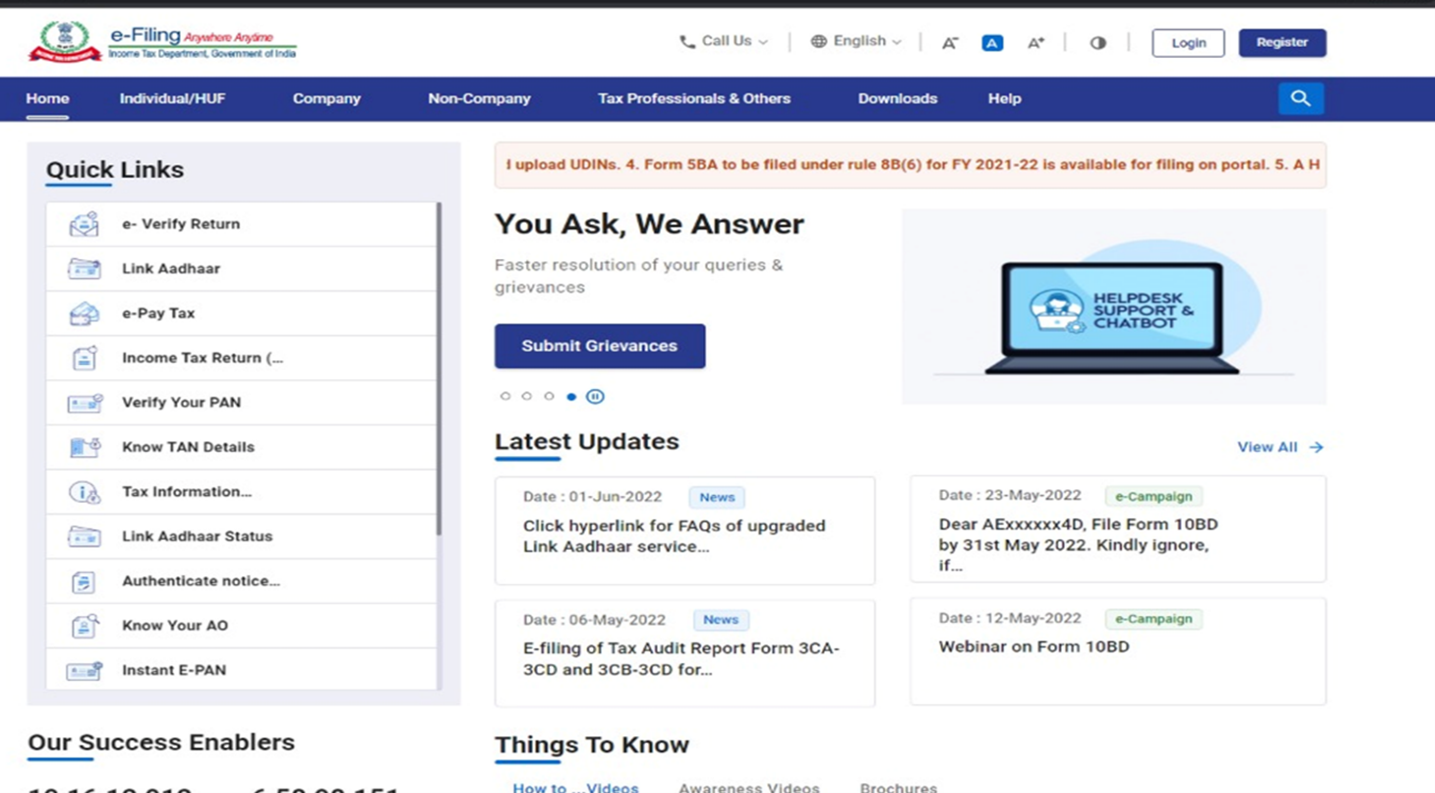
Step 1: Open the Income Tax e-Filing Portal
Visit the official Income Tax e-Filing portal and click Login.
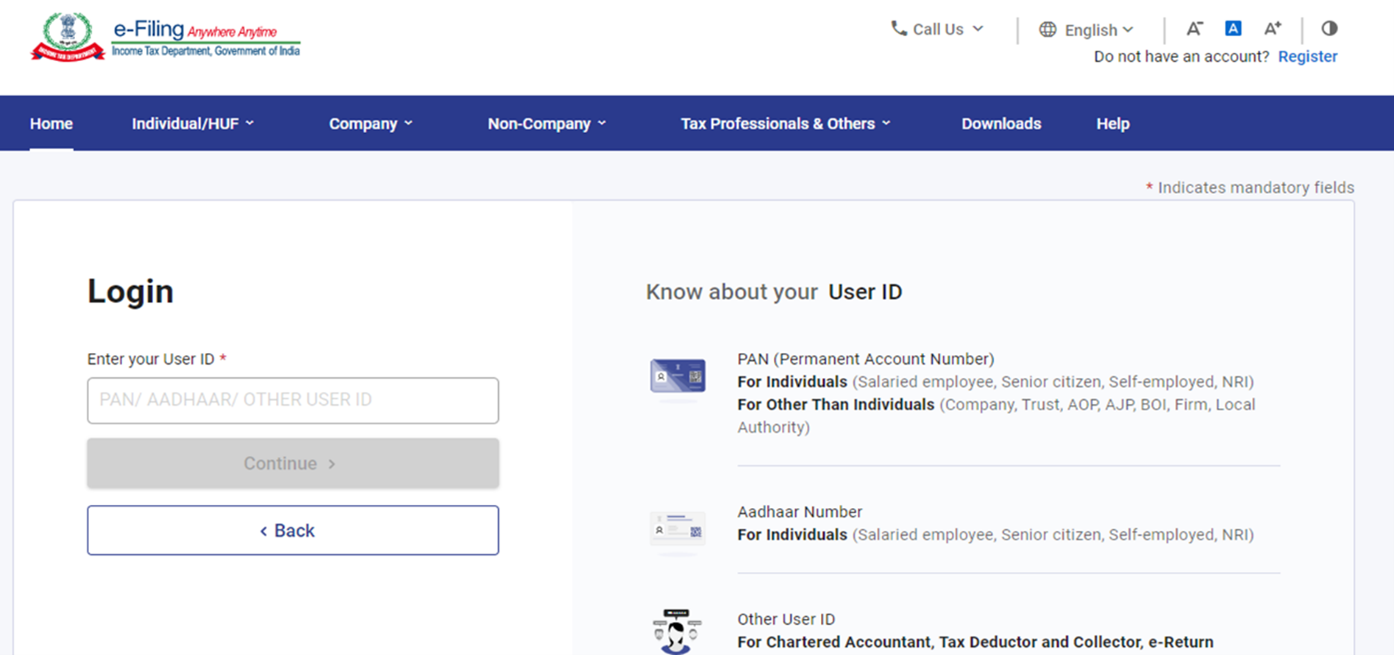
Step 2: Login to Your Account
Enter your PAN/User ID and continue with the portal login process.
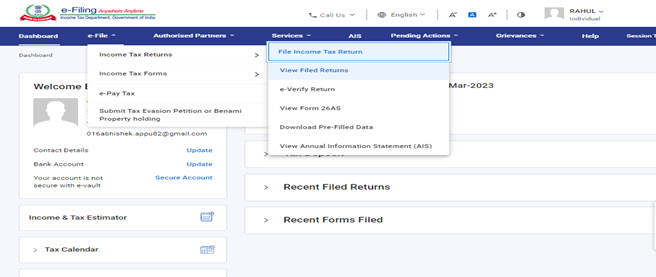
Step 3: Open View Filed Returns
Go to your filed returns section and open the return for the relevant assessment year.
Step 4: Click View Details
Open the return details to see the processing and refund information available for that return.
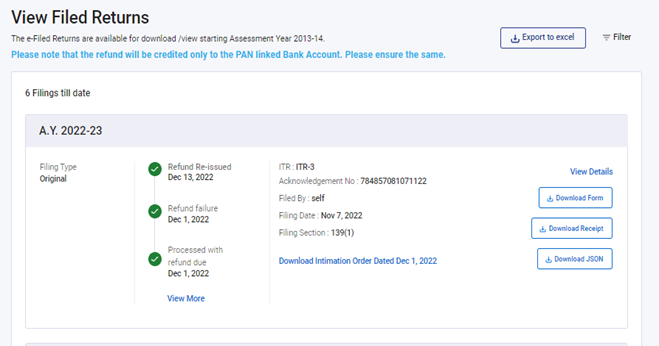
What Different Refund Statuses Mean
| Status | Meaning | What You Should Do |
|---|---|---|
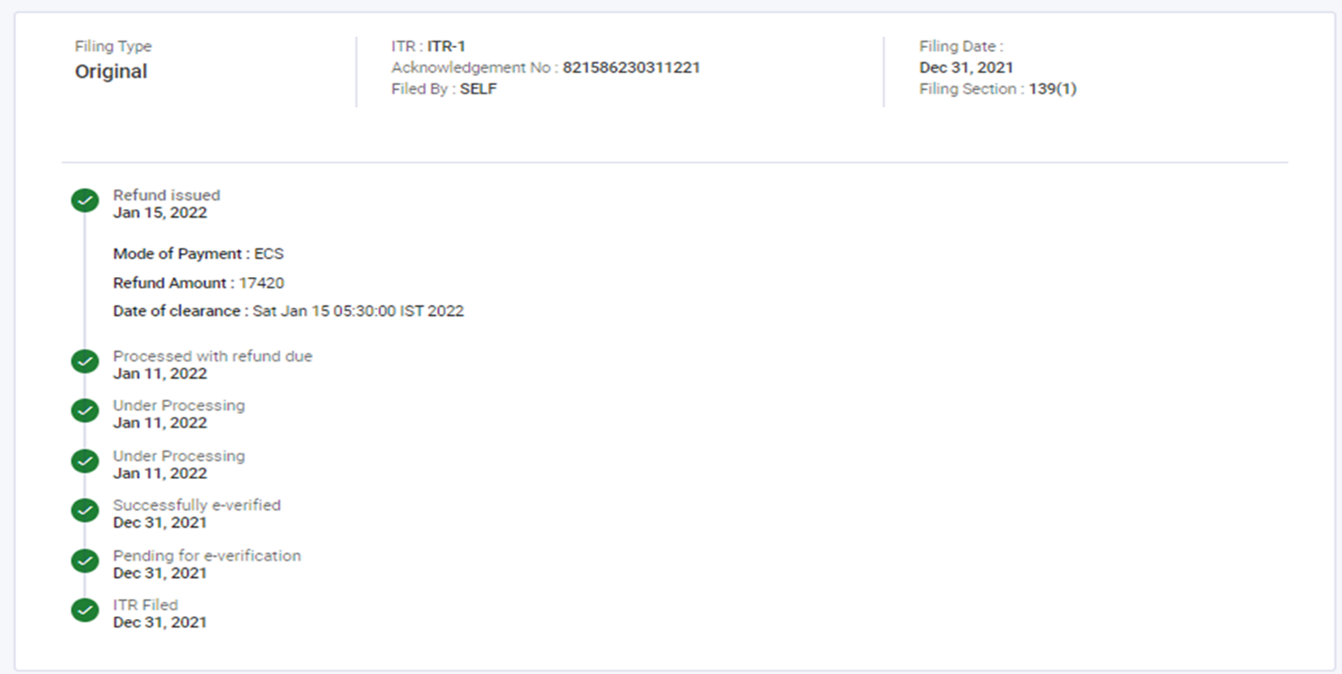
| Refund Issued | The refund has been processed and issued. | Check the prevalidated bank account and your bank statement. |
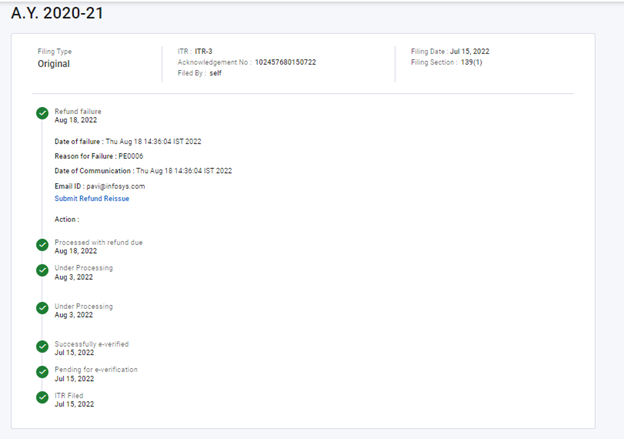
| Refund Failed | The refund could not be credited successfully. | Check bank validation/account details and use the available refund reissue process, where applicable. |
| Return Processing | Your return is still being processed. | Wait for processing and recheck the portal later. |
| Refund Adjusted | The refund may have been adjusted against an outstanding demand. | Review the intimation/demand details in your account. |
Live Example: Refund Issued
Live Example: Refund Failed
Common Reasons for ITR Refund Delay
- Return is still under processing.
- Bank account is not prevalidated or bank details are incorrect.
- TDS or tax-payment mismatch. Compare your records using our AIS vs Form 26AS reconciliation guide.
- AIS/26AS mismatch requiring review.
- Outstanding tax demand or adjustment.
- Additional verification or processing by the department.
What to Check Before Raising a Refund Issue
- Return has been successfully e-Verified.
- Your bank account is active and prevalidated.
- PAN and bank-account details are correct.
- TDS/tax credits match your records.
- You have reviewed any outstanding demand shown on the portal.
Frequently Asked Questions
How long does an ITR refund take?
There is no fixed processing time for every return. Refund timing depends on successful verification, processing of the return, validation of tax credits and bank-account details, and whether the return is selected for additional checks.
Can I check refund status without logging in?
The e-Filing portal provides refund-related services, but the most complete status information for your filed return is generally available after logging in to your account.
What should I do if refund status shows failed?
First check whether the bank account linked for refund is active and correctly validated. Then review the refund failure reason and use the available refund reissue facility, where applicable.
Related ITR Guides
- How to File ITR Online Step by Step – AY 2026–27
- AIS vs Form 26AS: How to Reconcile Before ITR Filing
- Old vs New Tax Regime – AY 2026–27
- Pre-Validate Bank Account for ITR Refund
- Income Tax Hub
Official Reference
Income Tax Department – How to Know the Status of Your Refund
Disclaimer: Portal screens and menu labels can change over time. The screenshots in this article are from official Income Tax Department guidance and are used as practical examples. Always follow the latest options shown on the live e-Filing portal.
ITR refund status: keep a follow-up record
When checking ITR refund status, note the assessment year, date checked and message shown. Keep any intimation or failure reason with your private return records. A bank credit, portal status and processing intimation should be compared for the same return. Do not post PAN, bank details or screenshots containing personal information in public comments.