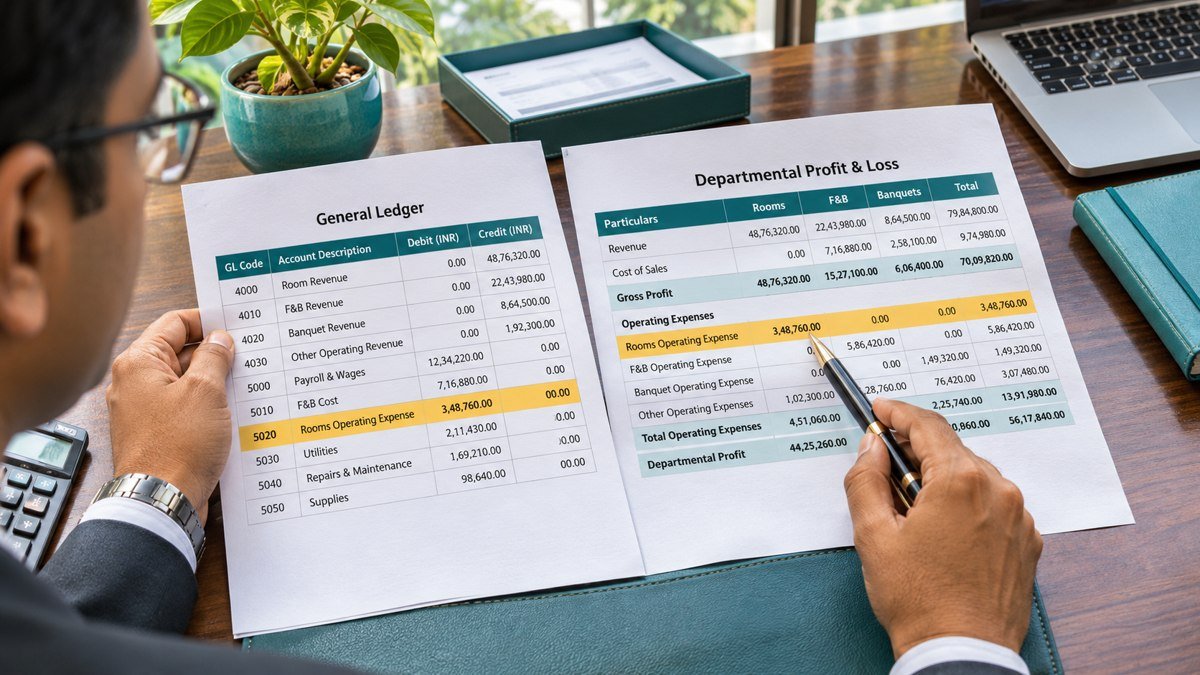
The hotel month-end close brings together the revenue, inventory, payroll and supplier records that support the monthly profit and loss report. The finance team can use a single tracker to see what has been reconciled, which evidence is available and which items still need a decision before the period is locked.
This example follows a fictional hotel through a five-day close. Day 0 is the last business date of the reporting month. The remaining days represent the hotel’s internal close schedule. Set the timing to suit your reporting calendar and the availability of department reports.
Hotel month-end close Excel tracker
Use the editable 30-row tracker, completed five-day example and accrual reconciliation sheet. Download the Excel tracker
Before close — agree the deadlines and owners
Send department heads a calendar with the cut-off for receiving goods, submitting timesheets and approving journals. Assign a preparer and reviewer for each reconciliation. Ask owners to flag known late invoices, disputed transactions and missing reports before close starts. Roll forward the open items from last month and confirm the owner and next action for each one.
Day 0 — complete the night audit and count stock
Close the final business date in the property management system (PMS) and capture the corresponding point-of-sale (POS) reports. Save the final reports and review unposted room charges, outlet postings, refunds and voids. Use the hotel’s business date when reconciling the overnight shift. Hotel Night Audit checklist
Record when the stock count started and ended. Log receipts and transfers during the count so the final inventory can be reconciled to the same cut-off. Save signed count sheets, recounts and the stock valuation. Hotel F&B Cost Control
Day 1 — reconcile revenue, settlements and receivables
Reconcile PMS and POS revenue to the general ledger by outlet and business date. Trace card and online travel agency settlements to the settlement reports and bank. Keep expected deposits in transit on the reconciliation with their expected settlement date and reference. Check balances transferred to city ledger and retain the supporting folio or invoice. Hotel Daily Revenue Reconciliation Checklist
Day 2 — check payables, accruals and payroll
Compare the supplier ageing report to the AP control balance. Review open goods receipts and service confirmations, then search for invoices received around the cut-off. Check the ledger and the goods received/invoice received (GR/IR) account before raising a manual accrual. Record the service period, amount, evidence and expected invoice date. Vendor Ageing Analysis
Reconcile payroll expense and employer costs to the payroll register and the ledger. Check approved overtime, agency timesheets and unpaid amounts for work performed before month-end. Match agency invoices and payroll accruals to their periods to prevent duplicate cost. Hotel Labour Forecasting
Day 3 — review the trial balance and hotel P&L
Tie balance-sheet schedules to the general ledger. Review unusual expense movements against budget, forecast and prior month. Check new or changed account mappings so revenue and cost land in the correct departments. Ask department owners to explain material variances and identify any remaining journal or mapping changes. Hotel Chart of Accounts Mapping
Day 4 — document exceptions and sign off
Review the tracker with the controller. A completed task should have a dated reconciliation, an evidence reference and reviewer approval. Keep open items visible with the expected financial impact and next action. The controller can decide whether a specific exception blocks close or can be carried forward under hotel policy. Save the approved report and close file before locking the period.
Sample hotel month-end close sign-off tracker
| Due | Task | Preparer | Reviewer | Evidence | Example status |
|---|---|---|---|---|---|
| Day 0 | Complete final night audit | Night auditor | Income auditor | PMS close report and exception log | Signed off |
| Day 0 | Count F&B inventory | Stores and cost control | Financial controller | Signed counts and valuation | Signed off |
| Day 1 | Reconcile revenue and settlements | Income audit | Finance manager | PMS/POS reports and settlement reconciliation | In review |
| Day 2 | Reconcile AP and review accruals | AP accountant | Finance manager | AP ageing, service records and accrual journal list | In review |
| Day 2 | Reconcile payroll and agency cost | Payroll accountant | Finance manager | Payroll register, ledger tie-out and agency timesheets | Signed off |
| Day 3 | Review trial balance and P&L | GL accountant | Financial controller | Final trial balance and variance notes | Open |
| Day 4 | Approve close and release reports | Finance manager | Financial controller | Completed tracker and approved report pack | Open |
Add columns for the period, completion date, reviewer date and outstanding action when copying the tracker into your own close file. Track approval for carried-forward exceptions separately from sign-off on the underlying task.
Worked example — a ₹50,000 invoice arrives after close
A contractor finishes maintenance on 29 October. The hotel estimates the cost at ₹48,000 using the purchase order and approved service record. Finance verifies that no invoice or system-generated receipt accrual has already captured the same work. The controller approves a manual accrual and schedules its reversal for 1 November. The supplier’s invoice arrives on 4 November for ₹50,000.
| Date | Debit | Credit | Amount |
|---|---|---|---|
| 31 October | Maintenance expense | Accrued expenses | ₹48,000 |
| 1 November | Accrued expenses | Maintenance expense | ₹48,000 |
| 4 November | Maintenance expense | Supplier payable | ₹50,000 |
October carries ₹48,000 of expense. November carries the net ₹2,000 difference after the reversal. Across the two months, expense totals ₹50,000 and the supplier payable is ₹50,000 before payment. The example excludes tax entries and assumes October stays closed under the hotel’s policy. If the invoice becomes available before October is finalised or the difference requires review under the hotel’s reporting policy, escalate it before sign-off.
Match the invoice to the original purchase order, service record and accrual journal. Confirm the reversal actually posted to the intended period and expense account. Link all three entries in the tracker and document the difference. If a system-generated GR/IR accrual exists, check its clearing workflow before creating another entry. Oracle guidance on journal reversals
What to carry into the next close
At the next hotel month-end close, review accruals that reversed without a matching invoice. Confirm whether the supplier is still due payment and whether a supported accrual is needed at the new cut-off. Check old settlement items against subsequent bank receipts. Keep the original dates visible so repeated roll-forwards receive attention from the controller.
How to run the hotel month-end close meeting
Review exceptions in the order they affect the reporting pack. For each item, ask the preparer for the amount, the affected department and the evidence still outstanding. A card settlement expected on the next business day can remain on the bank reconciliation with its settlement reference. An unexplained revenue mismatch needs an owner and a decision before release.
Record the outcome of the hotel month-end close meeting in the tracker. If an item is carried forward, note who approved it and set a specific review date. If the controller approves a journal, record its posting reference and rerun the affected reconciliation. The next hotel month-end close can start with these open actions and check whether the same issues have recurred.