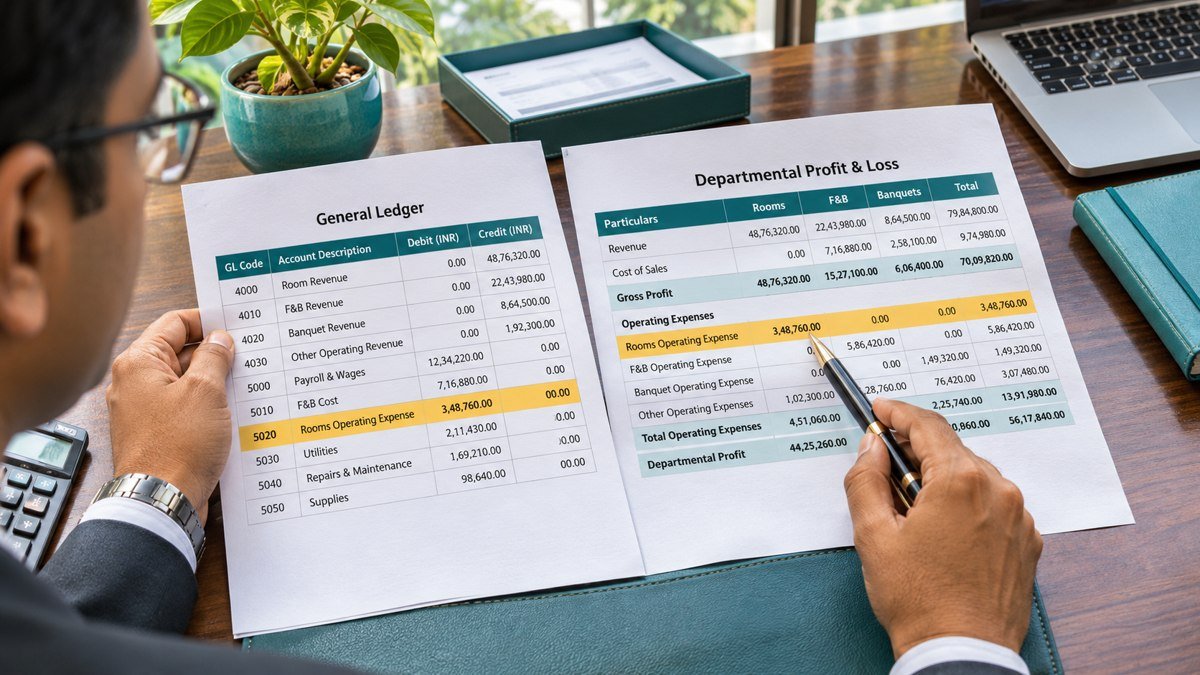
Hotel chart of accounts mapping tells the reporting system where each general ledger account belongs. In this fictional month-end example, ₹75,000 of banquet beverage sales is in the ledger but missing from the food and beverage report because the account has no reporting destination.
What to include in a hotel chart of accounts mapping
Record the source account code, its description, the destination reporting line and the effective period. Add property, department or cost centre to the mapping key when a rule depends on one of those fields. A wage account used by both rooms and restaurant staff may need the cost centre to determine which department receives the expense.
Keep the rule owner, approval reference and effective date with each change. Save the version used to produce each signed-off report so reviewers can reproduce prior periods.
Hotel chart of accounts mapping worked example
The fictional ledger below presents revenue as positive and expenses as negative. All balances are in rupees.
| GL code | Ledger account | Balance | Reporting line |
|---|---|---|---|
| 4100 | Guest room revenue | ₹24,00,000 | Rooms revenue |
| 4200 | Restaurant sales | ₹8,50,000 | F&B revenue |
| 4285 | Banquet beverage sales | ₹75,000 | Unmapped |
| 6100 | Rooms payroll | −₹6,20,000 | Payroll expense |
| 6200 | Restaurant payroll | −₹3,10,000 | Payroll expense |
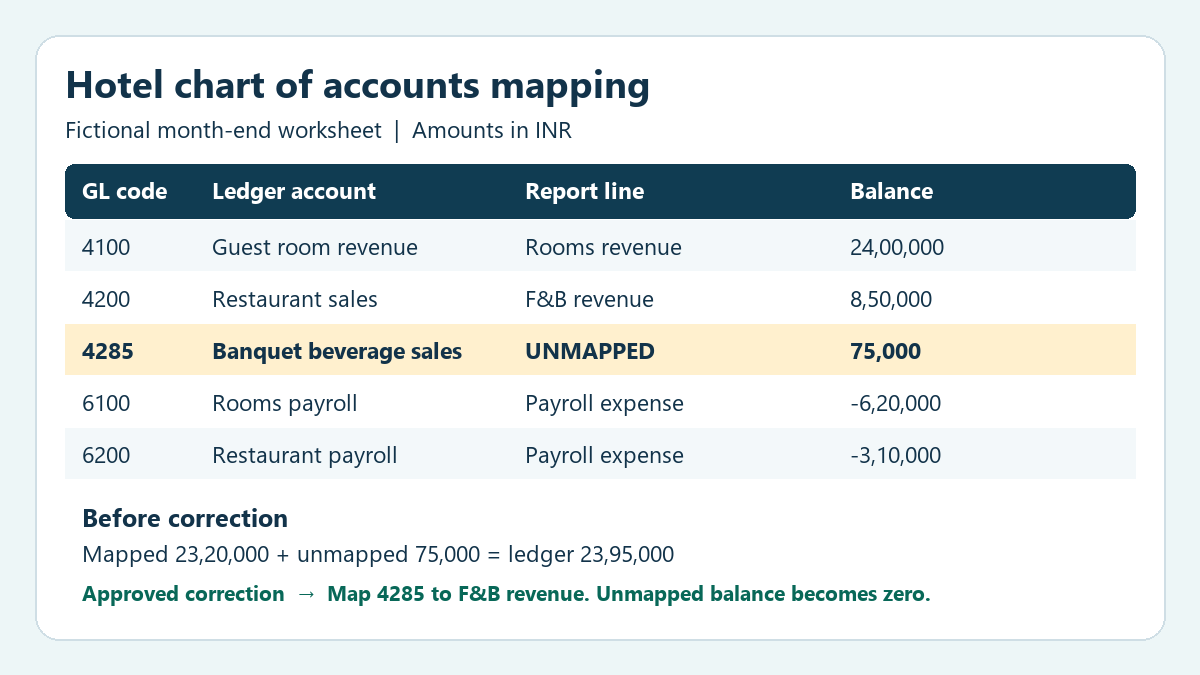
Account 4285 explains the gap between the ₹23,20,000 mapped total and the ₹23,95,000 net ledger balance. Review the account description, department and sample transactions. In this hotel’s report, banquet beverage sales belong under F&B revenue. Once finance approves the rule, apply it to the applicable reporting period and rerun the report.
| Reporting line | Before correction | After correction |
|---|---|---|
| Rooms revenue | ₹24,00,000 | ₹24,00,000 |
| F&B revenue | ₹8,50,000 | ₹9,25,000 |
| Payroll expense | −₹9,30,000 | −₹9,30,000 |
| Mapped net balance | ₹23,20,000 | ₹23,95,000 |
| Unmapped balance | ₹75,000 | ₹0 |
| Net ledger balance for accounts shown | ₹23,95,000 | ₹23,95,000 |
The correction moves ₹75,000 into F&B revenue through the mapping rule. The original ledger entries are valid in this example. If the underlying sales were posted to the wrong ledger account, investigate the transactions through the journal correction process.
Review the reporting lines and the exception count
If the ₹75,000 were mapped to rooms revenue, the total would still agree to the ledger while rooms revenue would be overstated and F&B revenue understated. Compare the changed reporting lines against the approved rule as part of the month-end review.
Check the number of unmapped rows as well as their net balance. Two unmapped balances of equal and opposite amounts can leave a zero net difference while both accounts are absent from the report.
When two rules match the same row, check which rule takes precedence. For example, a general payroll rule and a restaurant-specific payroll rule could both match one account. Review a sample for each affected department and confirm that every source row reaches its intended destination once.
How to apply the mapping in Oracle Cloud EPM
In Oracle Cloud EPM Data Integration, an explicit member mapping matches an exact source value to a target member. In the fictional example, the source value is account 4285. The target is the configured member for banquet beverage sales or F&B revenue, depending on the reporting hierarchy. Check the destination member in the application before saving the rule. Oracle’s explicit member mapping instructions
Oracle also publishes a guided example with screenshots of Data Integration and its mapping controls. Its example uses a sales-planning application. Use it to see how the mapping screens work, then refer to your own application for hotel account and department values. Oracle’s illustrated Data Integration tutorial
What to test before approving a mapping change
Start with the source row and trace its account, property and department through the export and into the report. In this example, account 4285 should appear once in F&B revenue for the correct property and month. Save a before-and-after exception report to show that the ₹75,000 has cleared. Then check that the restaurant sales and rooms revenue lines still contain their expected balances.
Test a row that uses the same account under a different cost centre if your hotel chart of accounts mapping depends on department. Record the expected destination before the test and compare it with the result. If a broad rule assigns the row to the wrong department, review the order in which the mapping rules are applied and retest every department that rule affects.
Check the sign convention on a known sales account and a known expense account. A reporting system may display revenue as positive even when the ledger export uses a credit sign. Compare the signed amounts after any approved transformation. A sign error can double the apparent variance on a line even when the correct account was selected.
During the next close, compare the new exception report with the previous month. Review accounts that were added, disabled or assigned a different department since the last run. This makes the month-end review easier to reproduce when a new outlet opens or the hotel reorganises its cost centres.
When to reopen a signed-off mapping
Reopen the hotel chart of accounts mapping if the same account begins to carry a different type of transaction or a new department starts using it. Ask the ledger owner when the change started and check which periods it affects. A rule approved for the current month may also affect prior reports if the integration reapplies it to historical data.
Before rerunning a closed period, record the reason for changing the hotel chart of accounts mapping and obtain the appropriate approval. Save both report versions and identify the affected lines so reviewers can distinguish a reporting reclassification from a change to the ledger.
Month-end mapping checklist
- Export the final ledger balances for the same property, period and currency as the reporting run.
- Compare active ledger accounts with the approved mapping table. Review new accounts and changes to departments or cost centres.
- Flag accounts without a destination and rows matched by more than one rule.
- Review account descriptions and sample transactions before approving mapping changes.
- Rerun the report and check unmapped row counts, balances and changes to the affected reporting lines.
- Reconcile the report to the ledger using consistent signs and scope. Document approved exclusions and reporting adjustments.
- Retain the ledger export, approved mapping changes, exception report and reviewer sign-off.
What to keep with the monthly close file
Keep the ledger export, the mapping version, the exception report and the final reporting output under the same close reference. The reviewer should be able to trace account 4285 from its ledger balance to the approved F&B line and see when the rule became effective. Include the property and reporting period in the record so the evidence can be retrieved during the next close.
If an item remains unresolved, record its balance, suspected cause, owner and next review date. Where the report includes an approved temporary adjustment, record it separately and explain how it will be reversed or replaced. Review that adjustment when the hotel chart of accounts mapping is corrected so the same ₹75,000 cannot appear twice.
Related TaxNexus guides
Use consistent reporting lines for the budget, forecast and actuals so department heads can explain variances. Hotel Budgeting and Forecasting
Trace daily revenue back to the property management system, point of sale and settlement records before using it in the month-end report. Hotel Daily Revenue Reconciliation Checklist