Use the Old vs New Tax Regime Calculator for an indicative comparison within its stated FY 2025–26 / AY 2026–27 scope. Check income, deductions and exclusions before treating the lower result as relevant to your return.
Old vs New Tax Regime Calculator
Compare estimated income tax under both regimes using your salary and eligible deductions.
How to use this comparison
Enter only deductions you can substantiate. The old regime permits many exemptions and deductions, while the new regime applies wider slabs with fewer deductions.
Does this include Section 87A rebate?
Yes. It applies the commonly used FY 2025–26 rebate assumptions for eligible resident individuals, but it does not test residency or special-rate income.
Why may my final tax differ?
Your Form 16, other income, surcharge, capital gains, employer treatment and filing position can change the result.
Tax Impact Explainer
The calculator compares estimated tax for FY 2025–26 / AY 2026–27. Under the old regime, eligible deductions and exemptions can reduce taxable income. Under the new regime, slab rates are lower and the Section 87A rebate is available to eligible resident individuals with taxable income up to ₹12 lakh, subject to the applicable rules. The calculator also applies 4% Health & Education Cess, while excluding surcharge, marginal relief and special-rate income.
Old regime impact
Deductions such as eligible 80C, 80D, HRA, home-loan interest and NPS can reduce taxable income when their conditions are satisfied.
New regime impact
The new regime is the default regime and uses wider slab bands with fewer deductions. For salaried taxpayers, the standard deduction is ₹75,000 for AY 2026–27.
Estimated Tax Comparison
Frequently Asked Questions
Is the new tax regime mandatory for AY 2026–27?
No. It is the default regime, but eligible taxpayers can opt for the old regime subject to the applicable rules and filing requirements.
What is the Section 87A rebate limit under the new regime for AY 2026–27?
For eligible resident individuals, the rebate can be up to ₹60,000 where taxable income does not exceed ₹12 lakh, subject to the law and the nature of income.
Is standard deduction available in both regimes?
For salary income in AY 2026–27, the standard deduction is ₹50,000 under the old regime and ₹75,000 under the new regime.
Can I claim 80C and HRA in the new tax regime?
Most commonly used deductions and exemptions such as Section 80C and HRA are generally not available under the new regime. The old regime continues to permit them where eligibility conditions are met.
Why can my final tax differ from this calculator?
Your final liability can change because of capital gains, special-rate income, surcharge, marginal relief, house-property rules, other income, deductions, TDS credits and your final filing position.
Related Calculators
Estimate take-home pay with the In-Hand Salary Calculator, check HRA tax relief with the HRA Exemption Calculator, read the Old vs New Tax Regime guide, visit the Income Tax Hub, or browse all Financial Calculators.
Old vs New Tax Regime Calculator: 5 essential checks
- Confirm the period. Use figures for the year the tool supports. A tax-year label is part of the calculation scope, not a decorative heading.
- Separate gross and taxable amounts. Read the input labels carefully. Do not deduct an allowance or standard deduction twice by entering an already reduced figure where gross income is expected.
- Review deduction eligibility. Keep evidence and the basis for each amount. A calculator accepting a deduction does not establish that the expenditure or investment qualifies.
- Check excluded income. Special-rate income and other situations outside the tool’s assumptions can change the result. A salary-only illustration should not be treated as a complete return for a more complex case.
- Compare like with like. Use the same underlying income and facts in both scenarios. Record which eligible deductions differ rather than changing unrelated inputs to produce a preferred outcome.
Tax liability and payroll withholding
Estimated annual tax and the TDS already deducted by payroll are separate figures. A lower projected liability does not, by itself, establish the refund amount. Review tax credits, payments and the final return calculation separately.
Save the assumptions with the result
Keep a dated comparison showing the income used, deduction assumptions, selected year and excluded items. If a figure changes later, update the comparison and retain the reason. This is more useful than saving only a screenshot of the lower tax total.
The Old vs New Tax Regime Calculator supports a preliminary review. Confirm the filing option and procedural requirements in current official instructions, especially where business or professional income changes the switching rules.
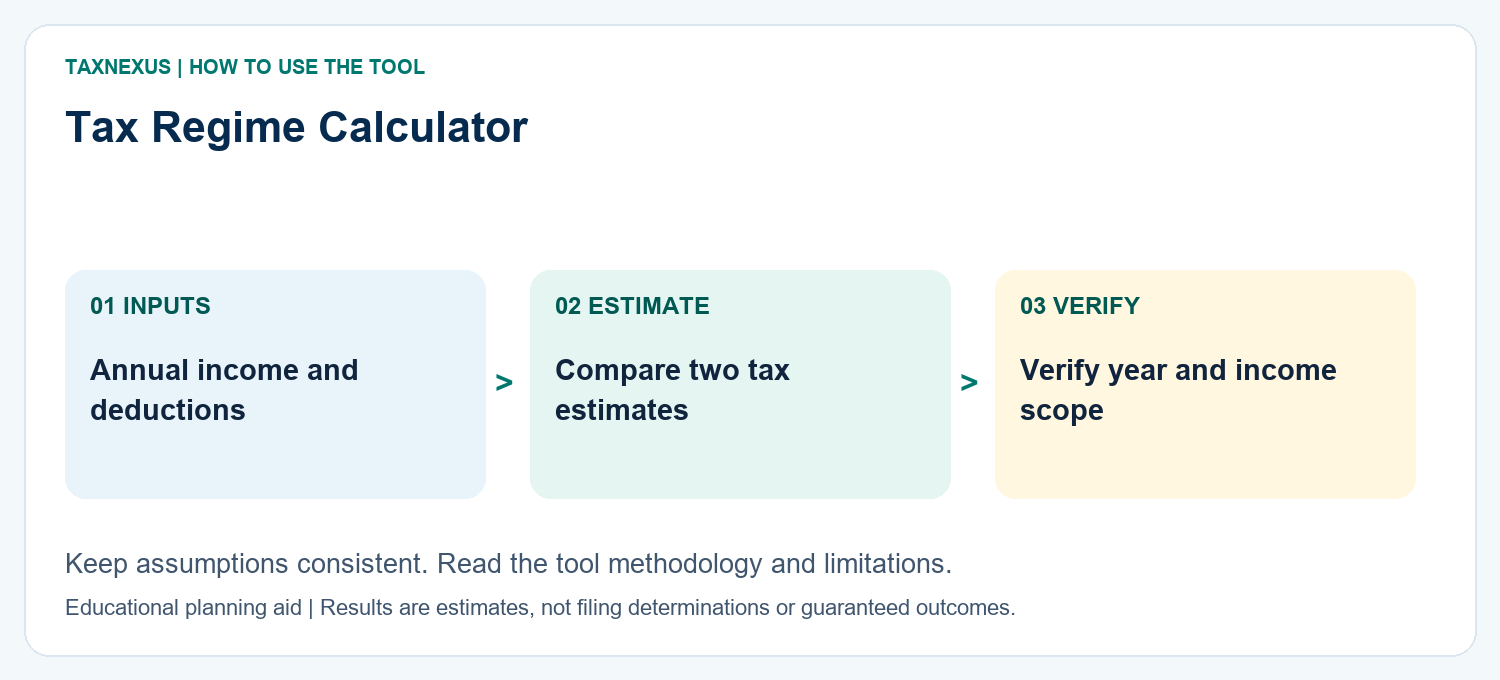
How to read your tax-regime comparison
Compare the estimated tax under both regimes using the same income base. The outcome can change materially when HRA, eligible deductions, exemptions, losses or special-rate income are involved. Use the lower estimate as a planning signal, then verify eligibility before filing.
Planning note: Tax rules depend on the relevant financial and assessment year; verify the final computation before filing.
Need a custom finance worksheet, calculator idea or help understanding a result? Contact TaxNexus and tell us what you are trying to calculate.
Ask TaxNexus
Send your question and the TaxNexus team can review what you are trying to calculate. The calculator page is included automatically.
Safety: Do not send passwords, OTPs, card numbers, bank login details or other confidential credentials.